Wellcome . if you want to learn about electronic, you will never fully understand the later and much more complicated electronics (Analog&Digital), before see this site.
Do You Want to Search any schema, Datasheet With Google.....? Write Keyword below
Showing posts with label Tech. Show all posts
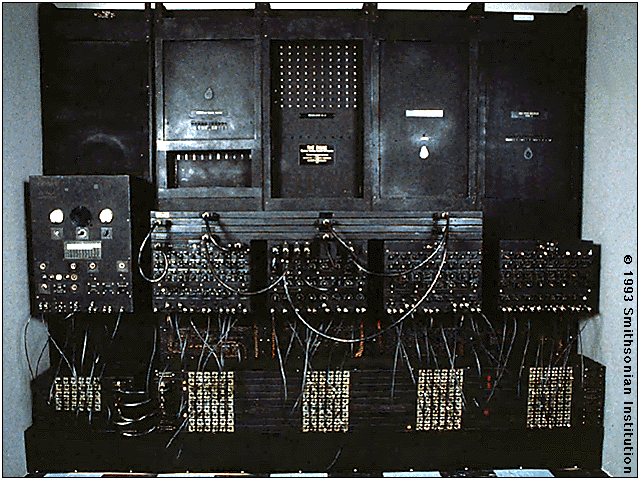
The First Electronic Computer: The ENIAC
In 1946, John Mauchly and John Presper Eckert developed the ENIAC I (Electrical Numerical Integrator and Calculator). The U.S. military sponsored their research; they needed a calculating device for writing artillery-firing tables (the settings used for different weapons under varied conditions for target accuracy). The Ballistics Research Laboratory heard about John Mauchly's research at the University of Pennsylvania's Moore School of Electrical Engineering. Mauchly had previously created several calculating machines, some with small electric motors inside. In 1942 he had begun designing a better calculating machine based on the work of John Atanasoff, which would use vacuum tubes to speed up calculations.
On May 31, 1943, the military commission on the new computer began; Mauchly was the chief consultant and Eckert was the chief engineer. Eckert was a graduate student studying at the Moore School when he met John Mauchly in 1943. It took the team about one year to design the ENIAC and 18 months and 500,000 tax dollars to build it. By that time, the war was over. The ENIAC was still put to work by the military doing calculations for the design of a hydrogen bomb, weather prediction, cosmic-ray studies, thermal ignition, random-number studies and wind-tunnel design.
The ENIAC contained 17,468 vacuum tubes, along with 70,000 resistors, 10,000 capacitors, 1,500 relays, 6,000 manual switches and 5 million soldered joints. It covered 1800 square feet of floor space, weighed 30 tons, consumed 160 kilowatts of electrical power, and, when turned on, caused the city of Philadelphia to experience brownouts.
In one second, the ENIAC (one thousand times faster than any other calculating machine to date) could perform 5,000 additions, 357 multiplications or 38 divisions. The use of vacuum tubes instead of switches and relays created the increase in speed, but it was not a quick machine to re-program. Programming changes would take the technician’s weeks, and the machine always required long hours of maintenance. As a side note, research on the ENIAC led to many improvements in the vacuum tube.
In 1948, Dr. John Von Neumann made several modifications to the ENIAC. The ENIAC had performed arithmetic and transfer operations concurrently, which caused programming difficulties. Von Neumann suggested that switches control code selection so pluggable cable connections could remain fixed. He added a converter code to enable serial operation.
In 1946, Eckert and Mauchly started the Eckert-Mauchly Computer Corporation. In 1949, their company launched the BINAC (BINary Automatic) computer that used magnetic tape to store data.
Windows 7 Hack: Mengktifkan atau menonaktifkan atau Pindah Quick Launch Bar
Quick Launch bar telah melihat dua kasus yang ekstrim digunakan pada Windows XP dan Windows Vista. Beberapa mencintai Quick Launch dan beberapa tidak. Tapi Windows 7 memang memiliki yang lebih kompleks mengambil ini. Proses navigasi Quick Launch membutuhkan lebih dari sekedar klik mouse untuk mengaktifkan atau menonaktifkannya. Jadi bagaimana Anda melakukannya? Berikut ini adalah trik sederhana.
Mengaktifkan Quick Launch Bar
1. Klik kanan pada Windows 7 Taskbar, dan arahkan ke Toolbar item menu konteks, kemudian pilih New Toolbar.
2. Cukup copy dan paste kode ini di address bar
% SystemDrive% \ Users \% username% \ AppData \ Roaming \ Microsoft \ Internet Explorer \
3. Cari dan sorot folder Quick Launch, dan kemudian klik pada tombol Pilih Folder.
A Quick Launch Toolbar akan ditambahkan ke Windows Taskbar dekat dengan area pengumuman. Unlock Taskbar (klik kanan pada Taskbar dan hapus centang pada Lock the taskbar) untuk memindahkan Quick Launch Toolbar.
Pindahkan Quick Launch Button
Misalnya anda ingin memindahkan peluncuran cepat tombol ke kiri taskbar.
1. Membuka peniti semua program aplikasi dari Superbar dengan klik kanan pada masing-masing dan setiap ikon, lalu pilih membuka peniti program ini dari taskbar.
2. Pindahkan kedua perbatasan Quick Launch Toolbar untuk yang terjauh kiri, dan kemudian kembali-pin. Dan anda selesai.
[Opsional, seperti yang Anda tahu, Anda dapat mengklik kanan pada ruang kosong di dalam kawasan Toolbar Quick Launch, dan hapuskan tanda Tampilkan Judul untuk menghapus kata-kata Quick Launch, atau hapus centang Tampilkan Teks untuk menghapus label di sebelah dan ikon cara pintas dalam Quick Launch bar]
Nonaktifkan Quick Launch Bar
Yang sangat sederhana.
* Klik kanan pada Taskbar
* Pergi ke Toolbar
* Ncheck item menu Quick Launch.
Lagi pula, jika Anda tertarik untuk membaca lebih banyak Windows 7 fitur dan hacks, Anda harus baca 10 Top Windows 7 artikel. Hei kami juga memiliki banyak Windows 7 up-to-date cakupan untuk Anda. Saya yakin anda akan tidak ingin kehilangan mereka.
Windows XP Users Are Slow to Move -- Survey
Windows Vista users are flocking to Windows 7, but a considerable number of holdouts are resistant to upgrading from Windows XP, according to an InfoWorld survey that was taken over the past several weeks.
The survey found that Windows 7 now has approximately 4 percent market share among 20,000 systems that it monitors through the exo.performance.network. The network is administered by Devil Mountain Software, and tracks users who have chosen to opt in.
The new Windows 7 users don’t seem to be Windows XP defectors -- that OS’s share is holding steady at 64 percent. And almost three years after Windows Vista’s release, its market share has barely cracked 30 percent. InfoWorld noted that Windows Vista appears to be losing market share as Windows 7 increases in popularity. However, I’m hesitant to accept whether there is any actual correlation without having seen the data.
Another recent survey by NPD Group reaffirms Windows 7’s popularity over its oft-criticized predecessor. It found that Windows 7’s initial boxed upgrades were up 234 percent over Windows Vista.
Microsoft offered significant pre-sale discounts for Windows 7. There has also been pent up demand for upgrades, because many businesses eschewed Windows Vista.
Windows 7 had a long beta cycle, and has received generally good reviews. In fact, I have not heard any real horror stories since it launched last month. That could be in part because there is no direct upgrade path from Windows XP to Windows 7: XP users must perform a clean install to upgrade to Windows 7, and I suspect many still have machines that are too wimpy for Windows 7, and will therefore get the new OS only when they buy new PCs.
We’d like to hear from you. Are you planning on upgrading to Windows 7, or are you sticking with what you’ve got (or looking for an alternative such as a Mac or Linux machine)?
www.pcworld.com
Windows 7: The Good, The Bad, and The Unknown
For most people who are considering moving to Windows 7, October 22 is D-Day. On that date Microsoft's newest operating system lands on store shelves, both as a shrinkwrapped upgrade and preinstalled on new PCs. For some folks, though, D-Day has already arrived. Microsoft has issued the final RTM (release to manufacturing) version of Windows 7 to large companies that buy Windows via volume licenses, as well as to IT pros who belong to its Technet service. The Windows Vista era is officially drawing to a close--although you could argue that it never really quite started--and the Windows 7 one is under way.
And that promises to be a good thing, whether you're a satisfied Vista user, a disgruntled one, or a Windows XP holdout who has been waiting for something better. Windows 7 feels like an anti-Vista: Unlike that OS, for instance, it doesn't try to dazzle you with flashy new visual effects. With the removal of Vista applications such as Photo Gallery and Movie Maker, Win 7 actually does fewer things than Vista did. Even its unprepossessing name is a change from the epic-sounding monikers that began with the unfortunate Windows Millennium Edition.
But Windows 7's lack of glitz is a huge part of its appeal. Unlike the increasingly chaotic and annoying Microsoft OSs that preceded it, Windows 7 is designed to stay out of your way so that you can get stuff done. It smartly addresses Windows annoyances both new (User Account Control) and old (the system tray). And the final version I've been using seems to realize the promise of the rough drafts we started testing last October.
Windows 7 isn't without its warts, but I haven't been so impressed by a new Microsoft operating system since Windows 2000 debuted close to a decade ago. Here's a quick look at some of its best features, a few drawbacks, and areas where reserving judgment makes sense. (Much more PC World coverage is on its way, including an in-depth review with speed benchmarks, upgrade tips, and Windows 7 system reviews.)
The Good...
The OS is less piggish: One of the many regrettable things about the initial version of Windows Vista was that its signature feature--the splashy Aero environment--was too much of a resource hog to run well on many early-2007 PCs (even those that had been promoted as Vista-capable). The PC World Test Center hasn't benchmarked the shipping version of Windows 7 yet--stay tuned--but all signs point to this OS being sprightly enough to perform decently on all current systems, including those allegedly underpowered, pint-size machines known as netbooks.
The taskbar has been reinvented: It's amazing how little the taskbar and its system tray have changed since Windows 95. In Windows 7, they both undergo sweeping, long-overdue makeovers. For the most part, the results are extremely pleasing.

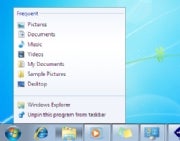
Windows 7 taskbarThe new taskbar's default style does away with text labels and relies solely on program icons, therefore making better use of screen space. Its thumbnail previews--an improvement over Vista's--work well even when you have multiple windows open for one application. And the new Jump Lists feature gives you right-click access to context-sensitive menus of options (such as the ability to play shuffled music in Windows Media Player) even before you've launched an application. Even the nub on the right edge of the taskbar, which you can click to reveal the desktop, is a welcome, subtle enhancement. (One taskbar quibble: The border around running apps in the taskbar isn't a clear enough cue to distinguish between them and those that aren't currently active.)

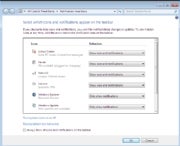
Windows 7 system trayThe system tray--which is officially called the notification area, although I don't know anybody who calls it that--is no longer one of Windows' most aggravating "features." When you install new applications, any associated system-tray applets are cordoned off in a holding pen, where they can't clutter up the tray and can't use word balloons to pester you with information that you may or may not care about. You can also choose to have an applet appear in the system tray but in bound-and-gagged form, so it can't pop up messages. Microsoft has also dramatically reduced the volume of distracting messages from Windows itself, courtesy of Action Center, which queues up system alerts so that you can check them out at your convenience.

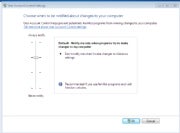
Windows 7 User Account ControlUAC is now tolerable: Windows Vista introduced User Account Control, which tries to warn you of attempts by viruses and other malware to tamper with your system. But it essentially has two settings: So Annoying You Click Without Thinking, and Off. In Windows 7, you get two intermediate settings that alert you only if a program changes settings, with or without the melodramatic screen-dimming effect. This new version is such a reasonable approach that it's even more mysterious how Microsoft could have botched the Vista version so badly.
Libraries collect your files: For years, Microsoft has tried to train Windows users to store all of their personal files in one place, helpfully providing a folder named My Documents for that purpose. Many of us blithely ignore the suggestion and store stuff willy-nilly around our hard drives. A new feature called Libraries splits the difference by giving you virtual folders for documents, music, photos, and videos that combine the contents of whichever folders you specify into one unified view. The Pictures Library, for instance, can show all your photos even if they're stored in a dozen different places. Still, there's room for improvement--Libraries would be even more useful if they were integrated with the existing Saved Searches feature, which creates another, separate form of virtualized folder.
The Bad...
Windows 7 HomeGroupsHomeGroups are disappointing: HomeGroups sound like a nifty idea--a way to share folders full of media and documents between PCs across a network, so you can peruse photos stored on a desktop in the den from your laptop in the living room, for instance. But Microsoft's implementation is surprisingly half-baked: Rather than letting you specify a password during setup, for instance, it assigns one consisting of ten alphanumeric gibberish characters and tells you to write it down. And HomeGroups work only if all the PCs in question run Windows 7. A version that also worked on XP, Vista, and--dare I say it?--Macs would have been far cooler.
Windows Update can still shut you down: There's no reason to believe that Windows 7 will require less patching than earlier versions of the OS. If you use Windows Update the way Microsoft recommends, however, your computer may still demand that you shut it down so it can update itself, or it may decide to devote an extended amount of time to installing updates when you try to reboot it. In the largely compliant and considerate Win 7, this aggressive approach to updates is a flashback to Windows' pushy past.
You can't upgrade Windows XP: If you want to upgrade a PC from XP to 7, you'll need to start anew, reinstalling all of your apps and re-creating your settings. (Windows Vista users can opt to install 7 on top of their current OS, although not in every possible scenario.) Microsoft's decision not to enable XP-to-7 upgrades is defensible--a fresh install will probably be more reliable than one plunked down on top of XP's eight-year-old underpinnings--but it will scare off some XP users who would probably love Windows 7 once they got it up and running.
...and the Unknown
How bad will compatibility issues be? Windows 7 looks and works differently than Windows Vista does, but below the surface it isn't radically different. That should make for fewer headaches with incompatible drivers and software--and indeed, it helped even the earliest Windows 7 preview versions run surprisingly smoothly for prerelease operating systems. But as millions of people install Windows 7 on an endless array of PCs, undoubtedly some of them will encounter problems that Microsoft didn't anticipate. (I've run into setup quirks and driver issues with the Windows 7 RTM version myself, but I've been able to work around them--by installing from a USB drive rather than a DVD, for instance.)
Windows 7 Device StageWill hardware companies take to Device Stage? This new feature gives your printer, camera, and other peripherals information centers of their own, which hardware manufacturers can customize with features such as links to online manuals and troubleshooting tools. But unless companies invest the time to build useful Device Stages, this could be another Microsoft bright idea that doesn't go much of anywhere. Also, parts of Device Stage look short on substance (giant photorealistic renderings of your peripherals!) and others look potentially irritating (printer companies hawking ink cartridges right inside your OS!). All in all, I don't think it'll be a tragedy if Device Stage doesn't catch on.
Is touch input a boon or a boondoggle? Windows 7 is the first version of the OS with special support for multitouch input--for example, if it notices that you've opened the Start menu with your finger rather than the mouse pointer, you'll see a roomier version of the menu that takes less precision to navigate. Of course, all of that requires a multitouch-capable PC, and only a handful (such as the upscale HP TouchSmart) are on the market. Windows 7's arrival might prompt a profusion of interesting new touch-enabled PCs--but even then, what we really need are interesting touch-enabled applications. (Microsoft's touch demos have tended to feature such ho-hum uses as fingerpainting in Windows' own Paint program.)
The Bottom Line
Last year Microsoft tried to repair Windows Vista's reputation by pretending it was a new OS code-named Mojave and getting focus-group subjects to say nice things about it. If the company had released a Vista back in 2007 that was as pleasant to use as Windows 7 is, the OS might never have had image problems in the first place.
Even when an OS upgrade is as appealing as this one, it makes sense to proceed with caution. Many of the people who grab Windows 7 at the first possible opportunity will be happy they did. But I suspect that some of the folks who wait a bit more--installing the new OS only after other people have discovered unexpected glitches with applications and drivers--will be even happier. And if you're using an aging PC, it's perfectly sensible to hold off on Windows 7 until you're ready to buy a brand-new system that's designed to run it well.
My advice for Windows users, then, is this: Get Windows 7, but on your own schedule. It'll be ready when you are--and you'll almost certainly consider it an improvement over whatever version of Windows you're using now.
And that promises to be a good thing, whether you're a satisfied Vista user, a disgruntled one, or a Windows XP holdout who has been waiting for something better. Windows 7 feels like an anti-Vista: Unlike that OS, for instance, it doesn't try to dazzle you with flashy new visual effects. With the removal of Vista applications such as Photo Gallery and Movie Maker, Win 7 actually does fewer things than Vista did. Even its unprepossessing name is a change from the epic-sounding monikers that began with the unfortunate Windows Millennium Edition.
But Windows 7's lack of glitz is a huge part of its appeal. Unlike the increasingly chaotic and annoying Microsoft OSs that preceded it, Windows 7 is designed to stay out of your way so that you can get stuff done. It smartly addresses Windows annoyances both new (User Account Control) and old (the system tray). And the final version I've been using seems to realize the promise of the rough drafts we started testing last October.
Windows 7 isn't without its warts, but I haven't been so impressed by a new Microsoft operating system since Windows 2000 debuted close to a decade ago. Here's a quick look at some of its best features, a few drawbacks, and areas where reserving judgment makes sense. (Much more PC World coverage is on its way, including an in-depth review with speed benchmarks, upgrade tips, and Windows 7 system reviews.)
The Good...
The OS is less piggish: One of the many regrettable things about the initial version of Windows Vista was that its signature feature--the splashy Aero environment--was too much of a resource hog to run well on many early-2007 PCs (even those that had been promoted as Vista-capable). The PC World Test Center hasn't benchmarked the shipping version of Windows 7 yet--stay tuned--but all signs point to this OS being sprightly enough to perform decently on all current systems, including those allegedly underpowered, pint-size machines known as netbooks.
The taskbar has been reinvented: It's amazing how little the taskbar and its system tray have changed since Windows 95. In Windows 7, they both undergo sweeping, long-overdue makeovers. For the most part, the results are extremely pleasing.
Windows 7 taskbarThe new taskbar's default style does away with text labels and relies solely on program icons, therefore making better use of screen space. Its thumbnail previews--an improvement over Vista's--work well even when you have multiple windows open for one application. And the new Jump Lists feature gives you right-click access to context-sensitive menus of options (such as the ability to play shuffled music in Windows Media Player) even before you've launched an application. Even the nub on the right edge of the taskbar, which you can click to reveal the desktop, is a welcome, subtle enhancement. (One taskbar quibble: The border around running apps in the taskbar isn't a clear enough cue to distinguish between them and those that aren't currently active.)
Windows 7 system trayThe system tray--which is officially called the notification area, although I don't know anybody who calls it that--is no longer one of Windows' most aggravating "features." When you install new applications, any associated system-tray applets are cordoned off in a holding pen, where they can't clutter up the tray and can't use word balloons to pester you with information that you may or may not care about. You can also choose to have an applet appear in the system tray but in bound-and-gagged form, so it can't pop up messages. Microsoft has also dramatically reduced the volume of distracting messages from Windows itself, courtesy of Action Center, which queues up system alerts so that you can check them out at your convenience.
Windows 7 User Account ControlUAC is now tolerable: Windows Vista introduced User Account Control, which tries to warn you of attempts by viruses and other malware to tamper with your system. But it essentially has two settings: So Annoying You Click Without Thinking, and Off. In Windows 7, you get two intermediate settings that alert you only if a program changes settings, with or without the melodramatic screen-dimming effect. This new version is such a reasonable approach that it's even more mysterious how Microsoft could have botched the Vista version so badly.
Libraries collect your files: For years, Microsoft has tried to train Windows users to store all of their personal files in one place, helpfully providing a folder named My Documents for that purpose. Many of us blithely ignore the suggestion and store stuff willy-nilly around our hard drives. A new feature called Libraries splits the difference by giving you virtual folders for documents, music, photos, and videos that combine the contents of whichever folders you specify into one unified view. The Pictures Library, for instance, can show all your photos even if they're stored in a dozen different places. Still, there's room for improvement--Libraries would be even more useful if they were integrated with the existing Saved Searches feature, which creates another, separate form of virtualized folder.
The Bad...
Windows 7 HomeGroupsHomeGroups are disappointing: HomeGroups sound like a nifty idea--a way to share folders full of media and documents between PCs across a network, so you can peruse photos stored on a desktop in the den from your laptop in the living room, for instance. But Microsoft's implementation is surprisingly half-baked: Rather than letting you specify a password during setup, for instance, it assigns one consisting of ten alphanumeric gibberish characters and tells you to write it down. And HomeGroups work only if all the PCs in question run Windows 7. A version that also worked on XP, Vista, and--dare I say it?--Macs would have been far cooler.
Windows Update can still shut you down: There's no reason to believe that Windows 7 will require less patching than earlier versions of the OS. If you use Windows Update the way Microsoft recommends, however, your computer may still demand that you shut it down so it can update itself, or it may decide to devote an extended amount of time to installing updates when you try to reboot it. In the largely compliant and considerate Win 7, this aggressive approach to updates is a flashback to Windows' pushy past.
You can't upgrade Windows XP: If you want to upgrade a PC from XP to 7, you'll need to start anew, reinstalling all of your apps and re-creating your settings. (Windows Vista users can opt to install 7 on top of their current OS, although not in every possible scenario.) Microsoft's decision not to enable XP-to-7 upgrades is defensible--a fresh install will probably be more reliable than one plunked down on top of XP's eight-year-old underpinnings--but it will scare off some XP users who would probably love Windows 7 once they got it up and running.
...and the Unknown
How bad will compatibility issues be? Windows 7 looks and works differently than Windows Vista does, but below the surface it isn't radically different. That should make for fewer headaches with incompatible drivers and software--and indeed, it helped even the earliest Windows 7 preview versions run surprisingly smoothly for prerelease operating systems. But as millions of people install Windows 7 on an endless array of PCs, undoubtedly some of them will encounter problems that Microsoft didn't anticipate. (I've run into setup quirks and driver issues with the Windows 7 RTM version myself, but I've been able to work around them--by installing from a USB drive rather than a DVD, for instance.)
Windows 7 Device StageWill hardware companies take to Device Stage? This new feature gives your printer, camera, and other peripherals information centers of their own, which hardware manufacturers can customize with features such as links to online manuals and troubleshooting tools. But unless companies invest the time to build useful Device Stages, this could be another Microsoft bright idea that doesn't go much of anywhere. Also, parts of Device Stage look short on substance (giant photorealistic renderings of your peripherals!) and others look potentially irritating (printer companies hawking ink cartridges right inside your OS!). All in all, I don't think it'll be a tragedy if Device Stage doesn't catch on.
Is touch input a boon or a boondoggle? Windows 7 is the first version of the OS with special support for multitouch input--for example, if it notices that you've opened the Start menu with your finger rather than the mouse pointer, you'll see a roomier version of the menu that takes less precision to navigate. Of course, all of that requires a multitouch-capable PC, and only a handful (such as the upscale HP TouchSmart) are on the market. Windows 7's arrival might prompt a profusion of interesting new touch-enabled PCs--but even then, what we really need are interesting touch-enabled applications. (Microsoft's touch demos have tended to feature such ho-hum uses as fingerpainting in Windows' own Paint program.)
The Bottom Line
Last year Microsoft tried to repair Windows Vista's reputation by pretending it was a new OS code-named Mojave and getting focus-group subjects to say nice things about it. If the company had released a Vista back in 2007 that was as pleasant to use as Windows 7 is, the OS might never have had image problems in the first place.
Even when an OS upgrade is as appealing as this one, it makes sense to proceed with caution. Many of the people who grab Windows 7 at the first possible opportunity will be happy they did. But I suspect that some of the folks who wait a bit more--installing the new OS only after other people have discovered unexpected glitches with applications and drivers--will be even happier. And if you're using an aging PC, it's perfectly sensible to hold off on Windows 7 until you're ready to buy a brand-new system that's designed to run it well.
My advice for Windows users, then, is this: Get Windows 7, but on your own schedule. It'll be ready when you are--and you'll almost certainly consider it an improvement over whatever version of Windows you're using now.
About That PlayStation 3 Price Cut in Two Weeks
Predicting PlayStation 3 price drops is at this point a bit like buying up every lottery ticket in the universe before playing. Even a broken clock is right twice a day. The chances that Sony won't eventually whack a chunk of change off its price tag are of course scientifically zero, so it's all down to guessing, guessing again, then guessing again until you've got it right. Right?
Right, except for the part where you annoy the public to the point they understandably bite the hand off and feed it back to you. No one likes to be jerked around. Stand up. Sit down. Stand up. Sit down. You know the procedure. It's not exactly like the Homeland Security Advisory System, but there are trace similarities.
Thus: If these breaking rumors in the Telegraph about a slimmed up PS3 and corresponding price cut to be announced at the upcoming mid-August games convention in Cologne, Germany are accurate, it won't be a coup so much as inevitably accurate prognostication.
As critical as we in the press have been about Sony's redoubtable refusal to budge so much as a penny, point, set, and match to Sony for hewing to its financial principles and not so much outfoxing as outlasting its harshest critics and doomsayers. Many predicted the PS3 would be impacted deleteriously by towing the "boutique pricing" line. At launch, Atari founder Nolan Bushnell said "I think Sony shot themselves in the foot…there is a high probability [they] will fail…the price point is probably unsustainable."
The truth is that Sony's done reasonably well despite those intuitively unfavorable price-point odds, selling some 24 million units worldwide since November 2006. Stack that against the Xbox 360, sitting at around 31 million worldwide since November 2005.
It's important when you're matching numbers--for those that care probably more than they should about this stuff--to remember that Microsoft had a full year lead. It's easy to forget that, 3-4 years along. Depending on your vantage, Sony's PS3 has actually sold more units in an aggregate period-to-period (32 vs. 44 months) comparison. However you draw up the math, the company is holding third place with grace, behind their primary competitor in worldwide unit sales by a notable span, but certainly not an unreasonable one.
Thanks to Gamesindustry.biz for alerting me to the fact that Amazon US just dropped the price of its PS3 160GB Uncharted/PAIN bundle from $500 to $450, and reminding us that Gamescom (basically Europe's E3) is just a few weeks away. I don't know who "several sections of the industry" preceding the statement "believe an official price drop for the console will be announced by Sony" refers to, but the scuttlebutt on the gossip blogs is that Sony's up to "something" (isn't that just brilliant?). Mind you, said blogs are wrong a lot of the time (or at best "right" in the sense that in throwing a thousand darts--and blog posts--at a dartboard, eventually one will glancingly hit).
All of this latest round of speculating comes on the heels of Sony's late July announcement that it's lopped "About 70%, roughly speaking" off PS3 manufacturing costs since launch. Factor in a Digitimes report last week ("Sony PS3 components demand growing significantly") that Sony's ordered up enough parts to make one million consoles in the third quarter of this year, i.e. twice as many as the same period last year. The implications are, well, what the implications are: Sony's either planning to sell a whole lot of price-unchanged PS3's this holiday, or use a price drop to fuel a sales boom.
Since we're about as good in the press as meteorologists at predicting the weather, might as well have some fun with it. Based on the above and/or any additional evidence you care to consider, what do you think?
Matt Peckham, PC World.
Apple vs. Microsoft: Rival Strategies, Rival Results
It's been a rough year for everyone, even multi-billion-dollar companies that make computers. Well, maybe not so rough for Apple, which seems to be doing okay, based on its latest financial earnings report.
By contrast, Microsoft delivered bad financial news in July. In fact, its poor showing for the third fiscal quarter -- revenue down 6% year-over-year and lower than expectations, earnings per share a jolting 30% off over the same period -- was notable enough that it made the news at the top of the hour on NPR, which isn't usually seen as a capitalist media tool.
Of course, one of the reasons Microsoft cited was, "Well, the economy sucks all over." True enough, and part of the hit the company took was due to lousy sales of new PCs to businesses, which ate away at Microsoft's money stream of OEM Windows license fees. (I could mention the poor reception for Vista, but at this point, that's last year's news.)
There was a slight rise in sales of netbooks, for which Windows licenses cost less -- more on this later. But there were losses generally across the board, from Microsoft's search ("Let's kill Google!") to the division that runs Windows Mobile ("Let's kill Nokia!") and the Xbox ("Let's kill Sony and Nintendo!").
Over the same period, Apple had its best non-holiday quarter ever. The company saw a rise in all stats year over year, from revenue to earnings-per-share to gross margins. Sales of Macs remained steady, inching up 4%. iPod sales dropped a slight 7% (I know the iPhone has replaced my iPod needs). iPhones, well -- up 626%.
That is not a typo. Nor is the number -- cited by research firm NPD -- for Apple's share of the market for PCs costing more than $1,000: 91%. That number should be taken with a number of caveats: NPD could only look at physical stores and not virtual ones such as Dell's; the average selling price for a Windows-based desktop was under $500; Apple's overall PC market share remains less than 10%; Apple simply doesn't make much that sells for under $999, other than the Mac mini. Still, you have to remember that the pro-level computing marketplace is a thriving one with high margins, giving Apple a healthy base for its primary revenue source: hardware.
Dan Turner, Computerworld
Apple Tablet Ready by Xmas, Served with Multimedia 'Cocktail,' Says Report
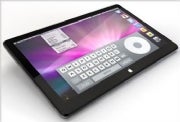
Apple is racing to launch a tablet-sized device in time for the Christmas shopping season, according to a report from the Financial Times (FT). Featuring a 10-inch touch screen display, Apple's tablet is also said to launch alongside "Cocktail," a project designed to increase sales of CD-length music.
The Apple tablet, rumored for more than a year now, has finally gained some credibility with FT's report today. The publication also quotes "executives familiar with the plans" saying that Apple could be planning a simultaneous launch of the tablet with a new service that is "all about re-creating the heyday of the album when you would sit around with your friends looking at the artwork, while you listened to the music."
What we know about the Apple tablet
FT is scarce on details about Apple's upcoming tablet device. The report describes device as a "full-featured, tablet-sized computer" which will be out just in time for the Christmas shopping season. The tablet's screen is reported to be up to 10 inches in diagonal but it won't have phone capabilities like the iPhone.
The FT says the Apple tablet will have Wi-Fi, allowing it to access to Apple's online stores. Besides Amazon Kindle-like capabilities, the Apple tablet is reported to be great for watching movies, according to an entertainment executive quoted by the FT. No word on pricing, but previous speculation points to an $800 price point.
What's in Apple's "Cocktail"
The FT is also reporting that Apple is working on a project code-named "Cocktail," a collaboration between the Cupertino company and record labels, namely EMI, Sony Music, Warner Music and Universal Music Group, which will bundle liner notes and video clips with the music sold on the iTunes Music Store (iTMS). The initiative is reportedly expected to be a reality as early as September.
The FT says Cocktail is a new type of interactive album, which will combine photos, lyrics sheets, video clips, and liner notes, all gathered into an interactive booklet. This new breed of album booklet will also play songs directly, without having to go back to iTunes, the report adds.
Myth or Reality?
Convinced by the Apple tablet? Judging by the expected screen size and rumored capabilities, the Apple tablet will not only be an oversized iPod Touch, ready for prime-time movies and music, but also a direct competitor to Amazon's Kindle if Apple will start selling books in the iTunes music store.
Although so far the "Cocktail" news would put multimedia at the heart of the Apple tablet, Internet connectivity is the key to delivering the content to the device. And this is where last week's rumors and today's FT report conflict: Apple Insider said the tablet would feature 3G connectivity, same as the iPhone, while the FT reported today that no such capability will be present.
So while this intricate detail is up for debate, the question to users remains whether they would want a 3G tablet that would be chained to a wireless carrier (be it AT&T or Verizon) or the somehow limited freedom to use any Wi-Fi access point they have handy?
Daniel Ionescu, PC World
Rumored Apple Tablet is a Train Wreck
Given the rumor mill chatter, it sounds like the mythical Apple tablet is all but a done deal. People seem to be talking with certainty about how, either later this year or early next year, Apple will unveil a multitouch tablet with a 10-inch screen, 3G wireless broadband, and iPhone OS possibly subsidized by a Verizon Wireless contract. It would basically be a big iPod Touch.
I’m no Apple hater, and I welcome an Apple device to the (don’t call it a) netbook market, but I've got to think this device would be a flop. This concept is such a train wreck from start to finish that I don’t know where to begin.
The tablet form-factor in general is good only for a few things. It’s great for artists and for specialized applications like taking orders. Note-taking in class is debatable since many people are better at typing than handwriting. There are lots of things that tablets are not good at. Take watching movies, for example. Since a tablet is designed for lying flat, you have to be looking straight down to view the computer. Actually, that makes it suck for most things. I guess Apple could build in some sort of stand, but that detracts away from the sort of sexy minimalism that it is famous for.
While I think a multi-touch display is a great idea, using it to host a virtual keyboard takes too much real estate on a petite 10-inch display. Eliminating the physical keyboard would make the device very thin, but at the expense of the screen protection a closed laptop offers.
The iPhone and iPod Touch work as keyboard-less devices because they are designed to be hand-held—something which would be difficult and clumsy with a 10-inch tablet.
While the iPhone OS might seem like an obvious choice due to its small footprint and contribution toward long battery life, it has glaring limitations on a larger device. A huge audience for a tablet is the artist community, and they need full-fledged OS X to run the apps they’re accustomed to. While Apple certainly has reason to want to build on the success of its App Store, those apps are designed to run on a 3.5-inch screen and most won’t translate very well to something larger.
Bundling it with wireless broadband service would find a limited audience. In recessionary times, subsidizing the initial price has its appeal, but how many people are going to want another monthly bill, especially when they already pay for home and mobile internet, and Wi-Fi is freely available in many locations?
I think there are a number of things Apple can do to successfully compete with the netbook market. It could launch a 10-inch touch screen version of the MacBook Pro and have a hit. If Apple wants to release something mind-blowing, it could release a clamshell device with two displays and have the bottom one double as a virtual keyboard and multi-touch input device. If Apple does release a device that resembles the rumored tablet, it will need some killer twist that nobody saw coming. It wouldn’t be the first time Apple pulled something like that off.
Michael Scalisi is an IT manager based in Alameda, California.
Browser Speed Tests: Latest Firefox Is Faster, but Not as Fast as Google Chrome In our page-loading tests, Firefox 3.5 speeds past Internet Explorer a
When Mozilla released a new version of Firefox a couple of weeks ago, its developers promised a faster browser, and Firefox 3.5 delivers, racing past IE and Safari in our latest set of page-loading speed tests. But its page load times are still about two-tenths of a second slower than Google Chrome.
Google Chrome showed the fastest page load time in five of the eight sites we tested it against, with an average page loading time of 1.699 seconds. However, Firefox 3.5 also put on a strong showing, coming in a close second with an average page-loading time of 1.762 seconds. For the most part, the difference between Chrome's page-loading times and those of Firefox is approximately two-tenths of a second. In our previous testing, Firefox 3.0.7 came in fourth in a four-browser field.
Internet Explorer 8 and Safari 4 both did a decent job loading pages, but fell behind Chrome and Firefox with average page-loading times of 1.833 and 1.964 seconds, respectively. Opera 10 Beta came in last, roughly a half second behind its nearest competitor.
Browser speed test results--click for full-size image.By far the most inconsistent results involved loading PC World's Twitter feed page. We saw load times ranging from about 1 second to over 20 seconds. Since Twitter has a history of server issues, we think this has less to do with the browsers themselves, and more to do with Twitter, although we were surprised by the wildly inconsistent results. For this reason, even though we list the loading times for the Twitter page in our results chart (click on the thumbnail image above), these loading times are not taken into account for the overall average loading time.
Some browser vendors, such as Apple and Mozilla, have touted big improvements in JavaScript performance. That has made some browsers shine in benchmark results. For example, Safari 4 earned the highest scores in both the SunSpider JavaScript benchmark and the Peacekeeper browser benchmark. But Apple's browser was at the back of the pack in our real-world page- loading tests. Browser benchmarks typically take elements that impact page-loading speed out of context, so while they'll give you a feel for how well a browser handles JavaScript or HTML rendering, for example, they won't tell you how fast a browser feels when you're clicking around from site to site. By comparison, our tests use real, popular sites to get a better idea of what you'll experience with any one of these browsers.
How We Test
In our browser speed comparison, we pitted Internet Explorer 8 against Firefox 3.5, Chrome 2, Safari 4, and the public beta of Opera 10. We used pages from a set of eight popular Web sites in our testing: PC World (of course), Amazon, Twitter, Yahoo, YouTube, The New York Times, eBay, and Wikipedia's English-language home page. To ensure that we measured the page-loading times as accurately as possible, we recorded our testing on video for review later on.
We performed all of our testing on a Gateway P-7808U notebook running a clean installation of Windows Vista Service Pack 1; we reinstalled the operating system before testing each browser. For each browser, we cleared the browser's cache and then loaded each page in our test suite. We repeated the process ten times per site per browser to ensure accurate results, to factor out fluctuations in network traffic, and to build a sufficiently large sample size to identify trends. In addition, we threw out the two best and the two worst scores for each page load test to further reduce the influence of fluctuations and to produce more consistent results.
Some browsers will report that a page has finished loading even though parts of the page haven’t yet appeared. We didn’t base our determination of when a page was loaded on the browser's opinion. Instead, we relied on whether all visual elements of the page were loaded and ready to use. For example, on Yahoo's home page, we judged the page to be ready when all of its graphics and images were loaded.
A Grain of Salt Required
Measuring browser performance is not an exact science. Many, many variables are in play, such as a site's server load at the time of testing, when you consider a page to have finished loading, human error, and so forth. Testing methodologies vary as well, and range from the browser benchmarks mentioned above to stopwatch testing. Each testing methodology could yield dramatically different results from others.
Still, at least in our tests, Chrome and Firefox 3.5 impressed us with their overall snappy feel. And, of course, speed isn't all that matters in a browser; each browser we tested is certainly "fast enough," and each has its own special set of features, so if you're looking on switching to a different browser, take a look at all of them, and go with whichever one best fits your needs.
Nick Mediati, PC World
Corsair Launching New 'Extreme' Solid State Drives
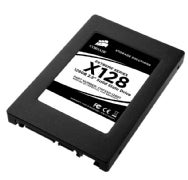
Memory maker Corsair has announced additions to its range of solid-state hard drives. The new 'Extreme Series' is a collection of three high performance drives which are perfect as primary drives in notebooks and desktop systems and come in 32GB, 64GB and 128GB capacities.
The drives have been designed with speed in mind and can offer read speeds of up to 240MB per second with write speeds reaching up to 170MB per second, perfect for the handling of large files. The speed increase is significantly faster than previous SSD drives from Corsair and competitors Western Digital.
These new drives have more than just speed on there side, as they can also be upgraded. End-users can upgrade the drives' firmware via the Corsair website in order to add more functionality and ensure optimal performance from the device over time.
Corsair is yet to reveal pricing for the drives, but the usual SSD premium is expected.
* See more like this:
* solid-state drive,
* memory,
* hard drives
Chris Brandrick, PC World
Toshiba Will Sell Blu-ray Player This Year
Exactly a year and five months after Toshiba brought an end to the high-definition disc format war, the Japanese consumer electronics company confirmed its plans to produce its own Blu-ray Disc player. Previously, rumors trickled in about Toshiba considering such a move; Japanese newspaper Yomiuri Shimbun this weekend reported that Toshiba will adopt the format it once battled against.
The format war was vigorously fought, as Toshiba and Microsoft backed HD DVD, and Sony, Panasonic, and a consortium of consumer electronics companies promoted Blu-ray Disc. The winner of this battle would control over the lucrative, high-definition successor to the quarter-of-a-billion dollar standard-definition DVD business.
Toshiba withdrew HD DVD from the market in February 2008 after a series of crippling blows gave rival Blu-ray a clear edge. At the time, Toshiba indicated that, in the absence of HD DVD, it would instead pursue "a wide range of technologies that will drive mass market access to high definition content. These include high capacity NAND flash memory, small form factor hard disk drives, next generation CPUs, visual processing, and wireless and encryption technologies."
Toshiba has certainly made strides with its video processing and cell processor. But none of the aforementioned technologies have yet to replace DVD players for home entertainment.
In light of all of this, the news that Toshiba will produce its own Blu-ray player is actually unsurprising. Still, it is appropriate to wonder aloud why Toshiba would swallow its pride and enter into the competitive Blu-ray Disc player market?
The answer comes down to one word: Business. Toshiba couldn't beat Blu-ray, and the company has realized there was money to be made by joining them. Just last week, the Digital Entertainment Group released its mid-year report, and Blu-ray Disc was clearly doing well in spite of the weak economy: Both disc sales and hardware sales are up as compared with last year.
When Toshiba abandoned HD DVD, I noted that, although the company did not announce any plans to produce its own Blu-ray drives, I found it impossible to imagine that Toshiba would completely abandon the market for movie disc players. After all, this was a market that Toshiba helped pioneer with the original DVD, and a market that Toshiba historically did well in (second only to Sony).
Pride aside, Toshiba had other, competitive reasons to turn to Blu-ray. The DVD player is an integral part of home theater systems. HDTV makers love to provide multiple entertainment components to consumers-and without a Blu-ray Disc player, Toshiba has had an obvious gap in its lineup. And the company has forfeited sales and market share to those companies producing Blu-ray Disc players.
It's about more than just Blu-ray Disc players: Already, Blu-ray can be found integrated into HDTVs for convenient, all-in-one entertainment systems. As this feature becomes more common, Toshiba's HDTV lineup will be at a disadvantage without a comparable offering.
The timing of Toshiba's plans actually makes perfect sense. Blu-ray has entered its mass market phase, says Blu-ray Disc Association chairman Andy Parsons.
The format is at a point of growth; Blu-ray players aren't an Aisle 4 commodity in drug stores just yet. Player manufacturing costs have fallen off dramatically as compared with a year ago. And the street prices for players are also lower-you can now easily find a player for under $200.
All of these factors were, apparently, too great for Toshiba to ignore. That said, whether the company jumped into the fray because of Blu-ray's worldwide popularity, or just its dominance in Japan remains unclear from what little news released today. But it's worth noting that as of winter 2008, the Blu-ray Disc Association noted that Blu-ray had achieved over 50 percent market share in Japan-clearly, that means Toshiba has been leaving potential revenue on the table for its competitors to grab.
Early word is that the first device would be a Blu-ray Disc player that could ship by year's end. However, given that Japanese consumers favor Blu-ray recorders (which command more than 70 percent of the market share) as opposed to players, I can't help but imagine that Toshiba will be developing a recorder, too.
The idea of a recorder leads to some interesting possibilities. We here in the U.S. have, sadly, yet to be graced with Blu-ray Disc recorders. Most manufacturers are concerned about a perceived lack of interest in such a device in the DVR-friendly United States. Nonetheless, a consumer can dream: Perhaps Toshiba will be the company with the vision to bring recorders to our shores.
Melissa J. Perenson, PC World
Apple Bans Palm Pre from iTunes: Get the Work-Around
The latest iTunes update, version 8.2.1, may offer up a few bug fixes, but its real purpose is to prevent the Palm Pre from syncing with iTunes. The move isn't a surprise. Last month, Apple warned that future versions of iTunes probably wouldn't support syncing with non-Apple media players. Today, Tom Neumayr, an Apple spokesperson, reinforced that position:
"iTunes 8.2.1 is a free software update that provides a number of important bug fixes. It also disables devices falsely pretending to be iPods, including the Palm Pre. As we've said before, newer versions of iTunes may no longer provide syncing functionality with unsupported digital media players."
Palm had figured out a way to sync the Pre with earlier versions of iTunes, the one caveat being that the Pre couldn't handle copy-protected songs. Despite this shortcoming, iTunes integration was a big plus for Pre fans, particularly those migrating from an iPhone or iPod.
For a while Apple didn't seem to mind, only hinting that the functionality could go away saying:
"Apple is aware that some third-parties claim that their digital media players are able to sync with Apple software. However, Apple does not provide support for, or test for compatibility with, non-Apple digital media players and, because software changes over time, newer versions of Apple's iTunes software may no longer provide syncing functionality with non-Apple digital media players."
Now the music is over.
Here is the Work-Around
So what's a Palm Pre user to do? The easiest option is to avoid upgrading to iTunes version 8.2.1, since the sync feature should still work with older versions of iTunes.
Another option is to trying a third-party app like Salling Media Sync, a utility that synchronizes iTunes playlists, music, and podcasts with your mobile device, and it's free for basic use.
Apple's decision to play hardball with third-party media players may provide ammunition to critics who consider the iTunes/iPod ecosystem a monopoly that needs to be broken up. If a worthy iTunes competitor doesn't appear in the near future, we can expect to hear more grumblings about Apple's dominance of the online music marketplace.
Jeff Bertolucci, PC World
Subscribe to:
Posts (Atom)